Add Role allows the admin to create a new role by just naming the role and adding the scopes from the dropdown. The Admin can map either one or multiple scopes to a Role as shown in the above screen.
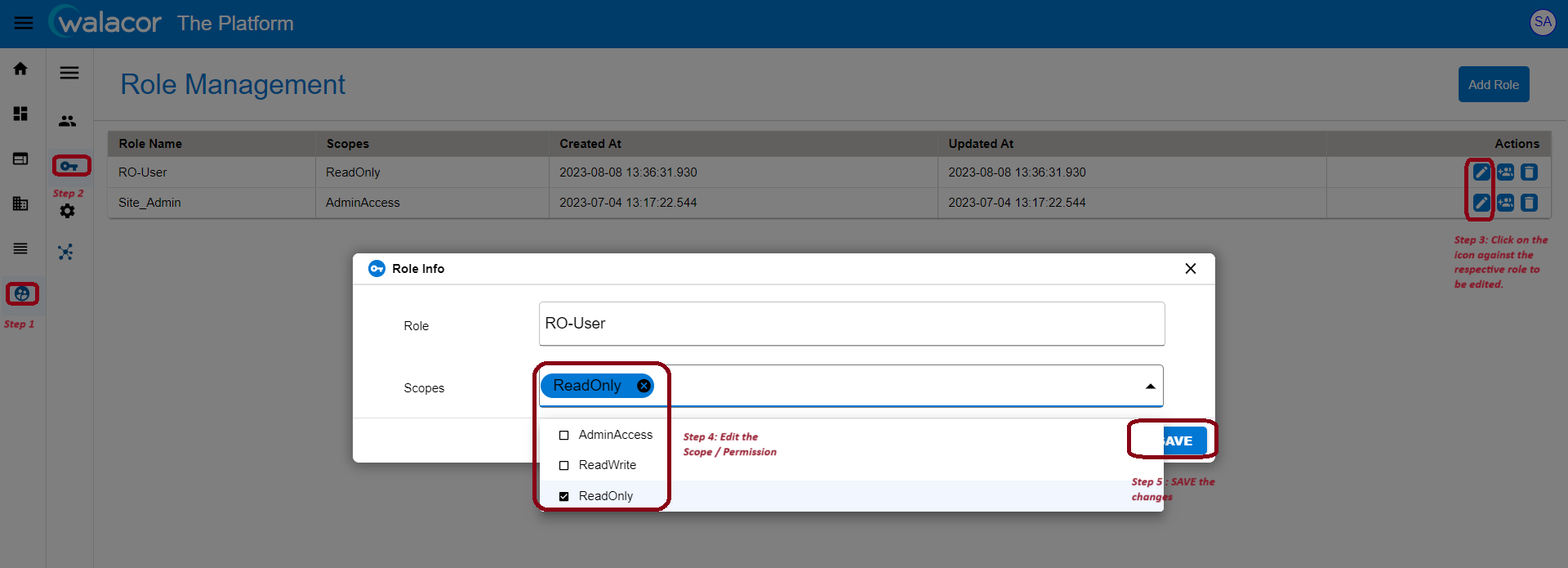
Role Info lets the admin to edit the scopes of the role as shown in below screen.
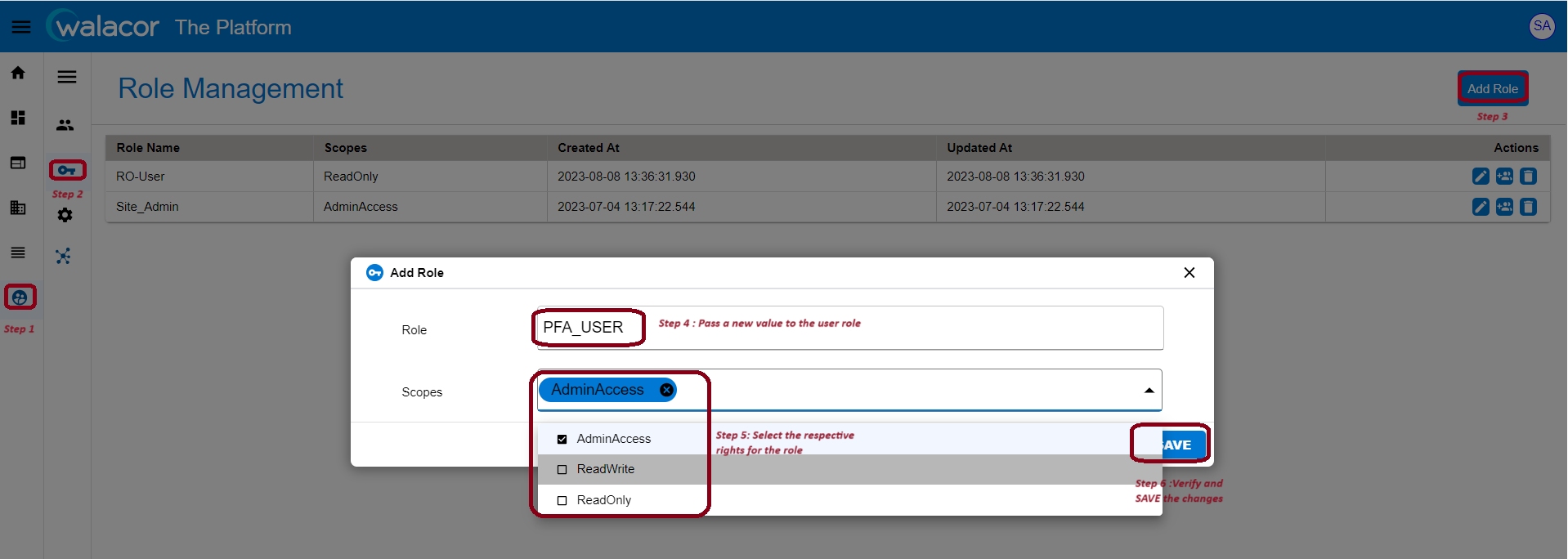
Figure 4.2.1.
Edit Role
Admin can edit the role name and scope of the existing role. One can though assign and unassign the role's multiple scopes. List will be updated as per the changes after saving it.