
The List Section was introduced to check the status of the Envelope, Secure Data & File List. These can be viewed by selecting the respective Tabs.
Envelope List
This is the default Tab and provides information about Envelope status. For checking a particular ETId, filter options also provided on the screen.
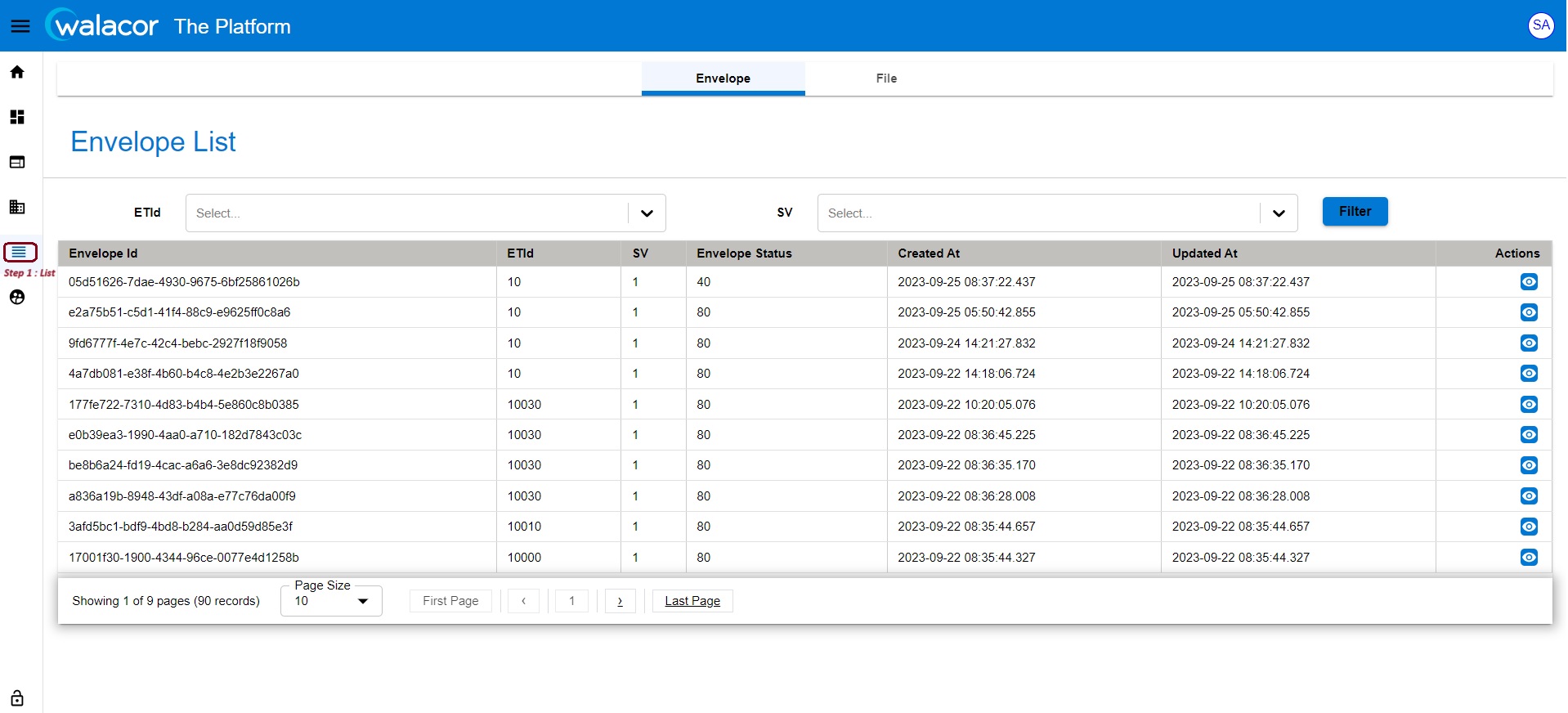
Figure 6.3.1.
Under the Actions column, envelopes details can be viewed.
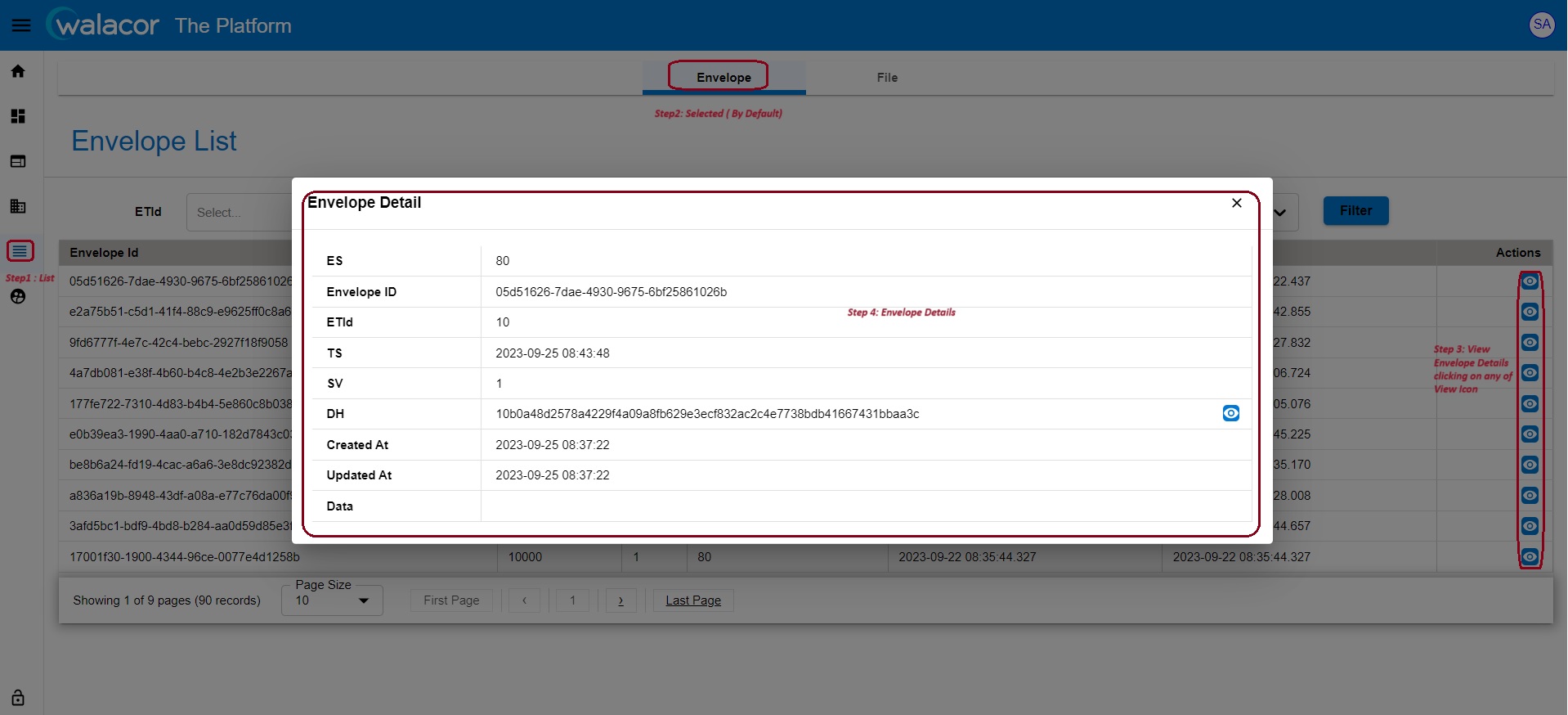
Figure 6.3.2.
File List
Details about uploaded files are shown here.
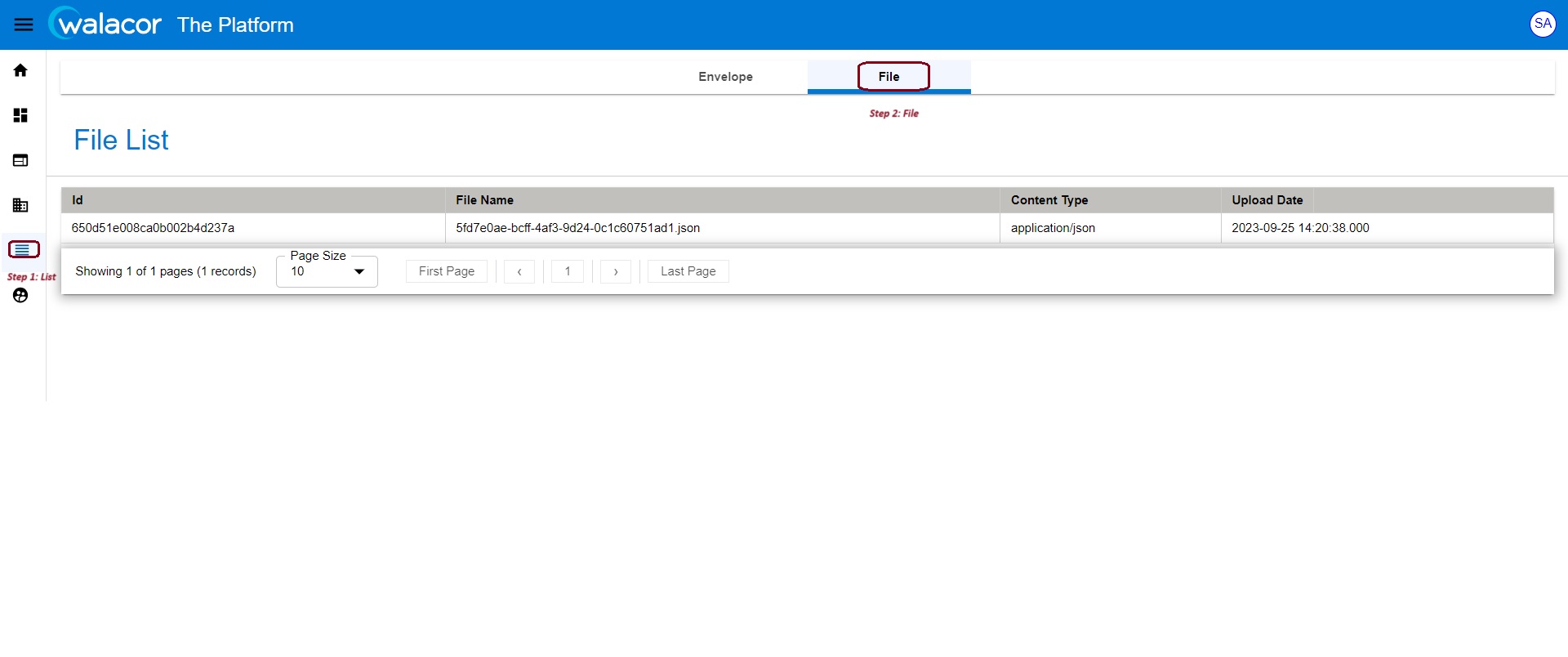
Figure 6.3.3.